Typemill Feature Highlights
Typemill is a lightweight, flat-file CMS designed for simple, fast, and flexible website and eBook creation using Markdown. It provides a great author experience and is highly extensible with plugins and themes. You can even turn your Typemill installation into a full eBook studio and produce professional pdf publications. But that is not all.
The Visual Markdown Editor
Write markdown in a WYSIWYG-style with the visual markdown editor. Switch between the visual and raw editor for full control.
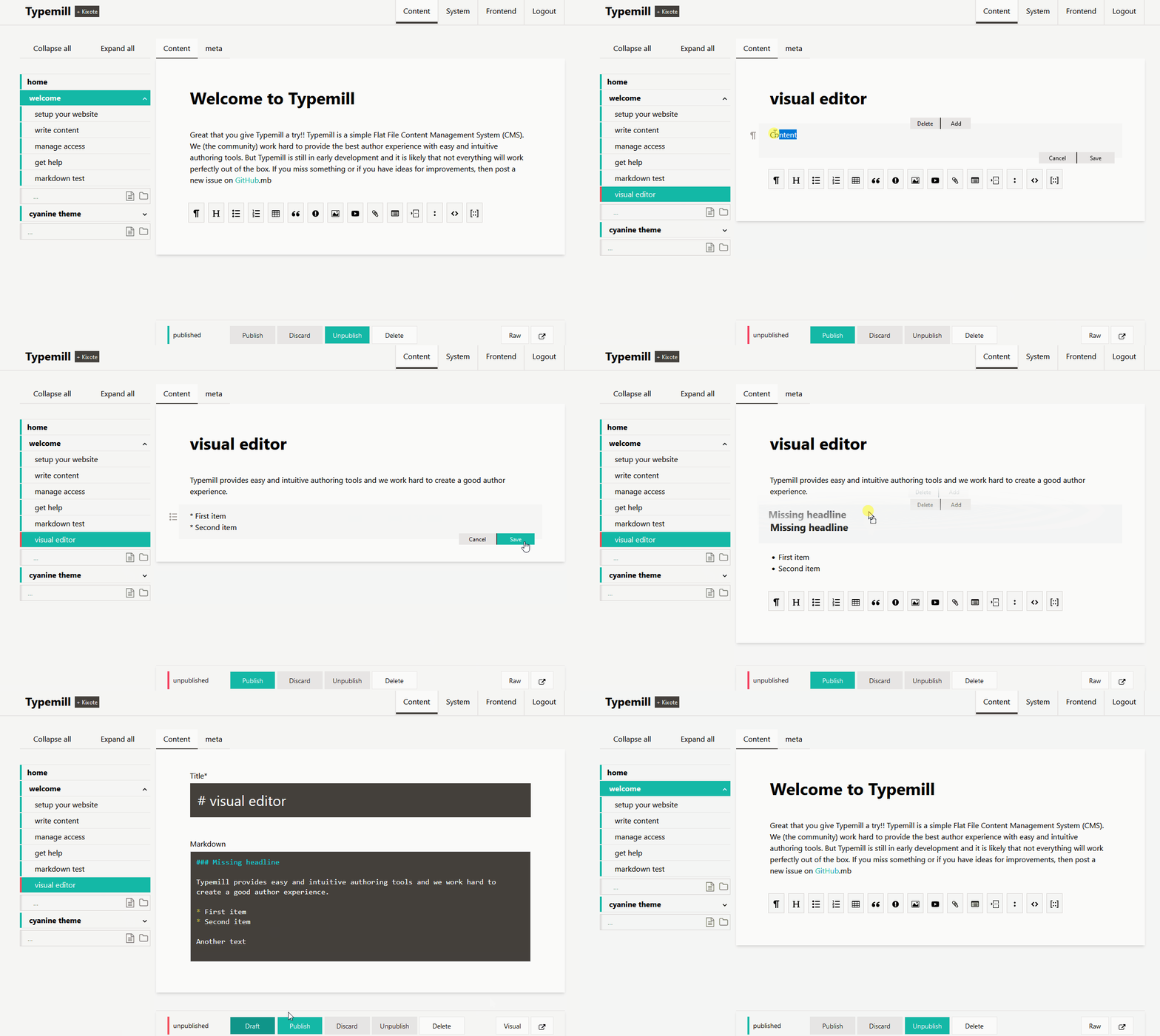
Some highlights:
- Move content-blocks with drag & drop.
- Edit markdown tables and definition-lists easily.
- Integrate images and files with an easy interface.
- Use the raw editor for copy and paste or to restructure the text.
The Interactive Navigation
Editors can easily create and structure the website with drag & drop in the interactive navigation.
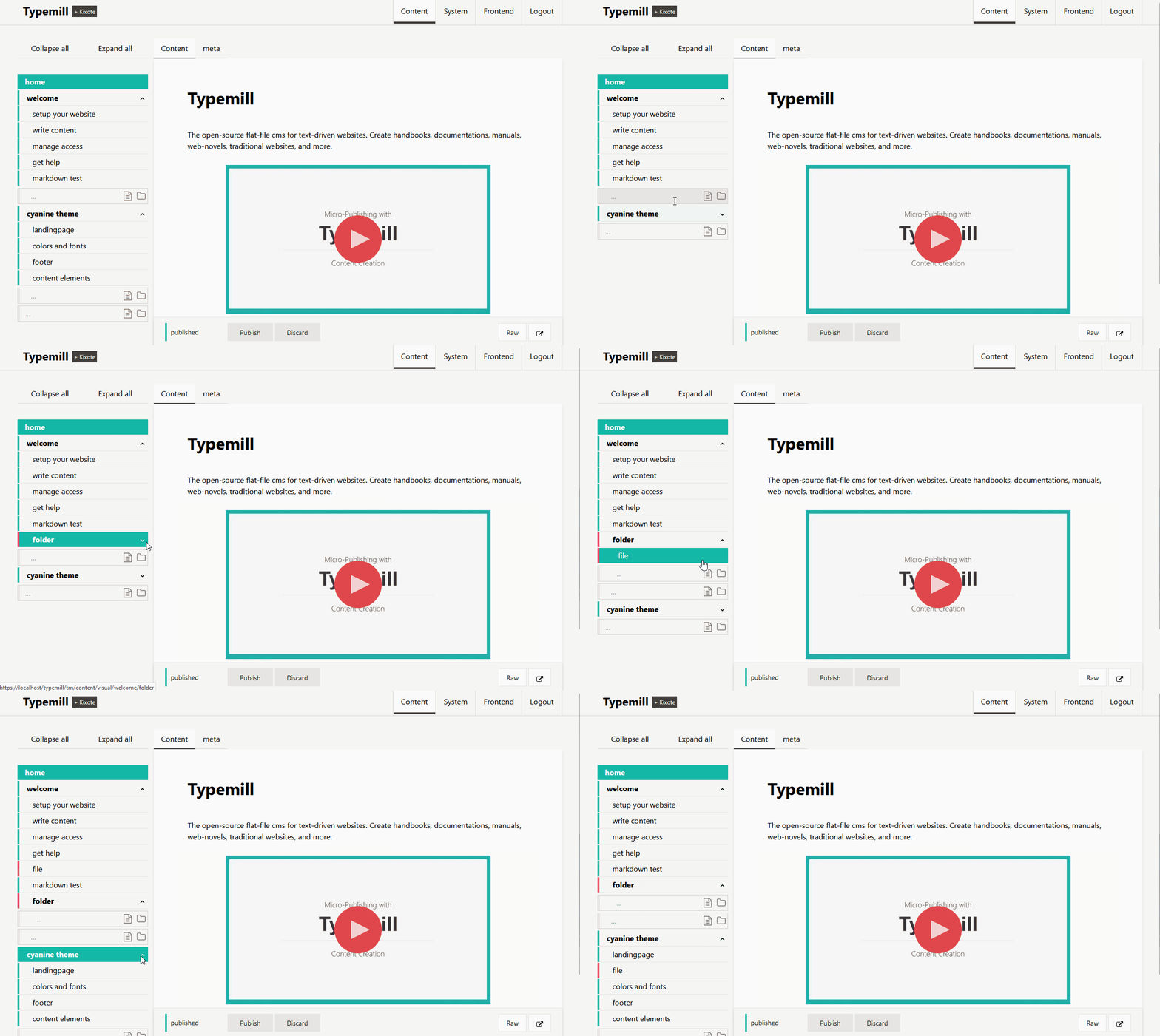
Some highlights:
- Structure your website with files and folders.
- Move navigation-items with drag & drop.
- Colors indicate the status of pages with published, modified, or unpublished.
- Use hierarchical pages or time-based posts inside a folder.
- Expand and collapse the navigation for better overview.
The Publish Bar
Editors have full control over the status of each page with the publish bar sticked at the button.
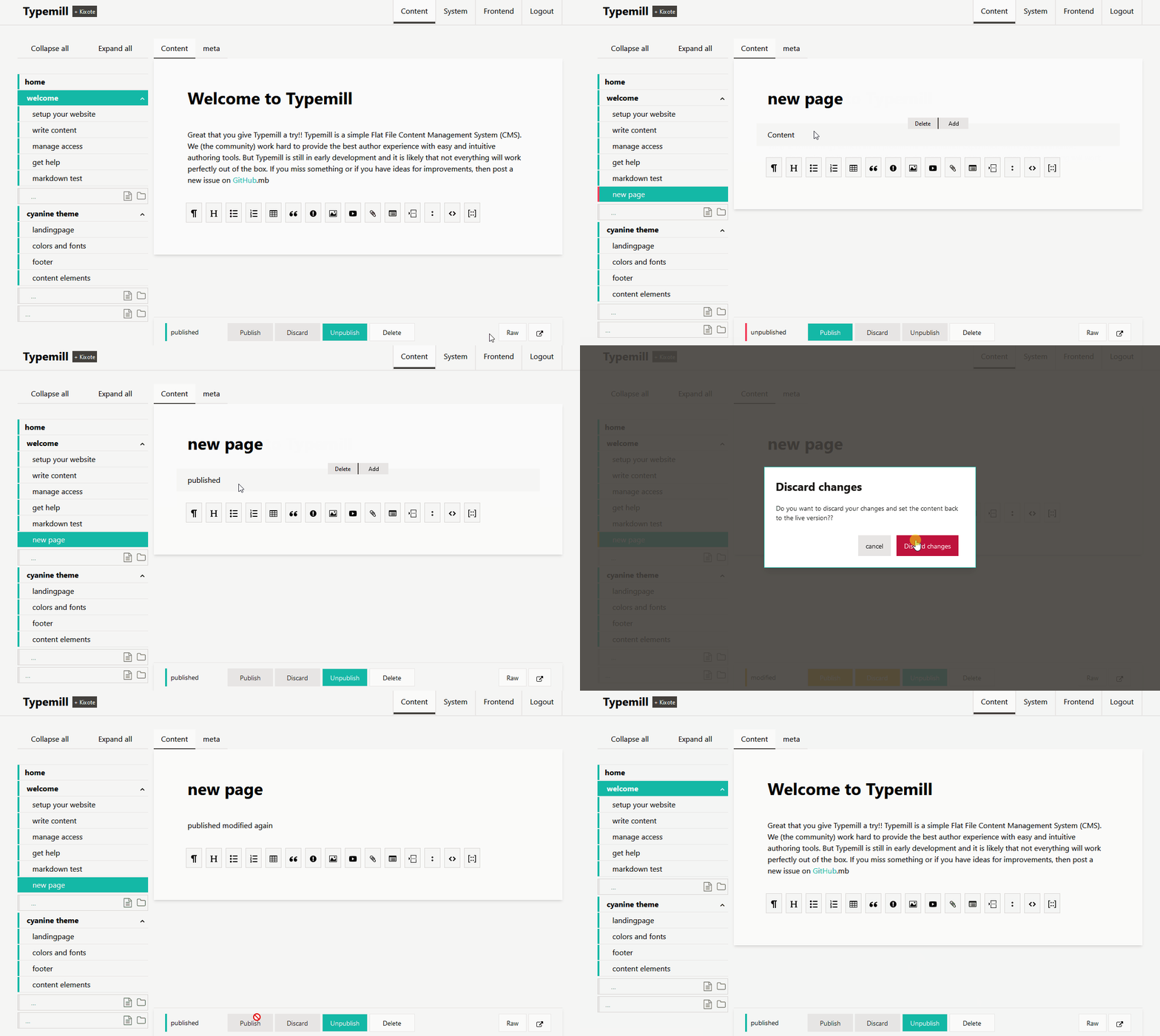
Some highlights:
- Publish, unpublish, draft and delete pages with a sticky bar at the bottom of each page.
- Discard changes and reset a draft to the live version.
- Colors indicate the current status of the page.
- Working with drafts while keeping the live-version untouched.
- Switch between the raw editor and the visual markdown editor.
Page Meta Tabs
All pages have meta-tabs with standard meta-information. Developers can easily define new meta-input or even create new meta-tabs that contain complex applications.
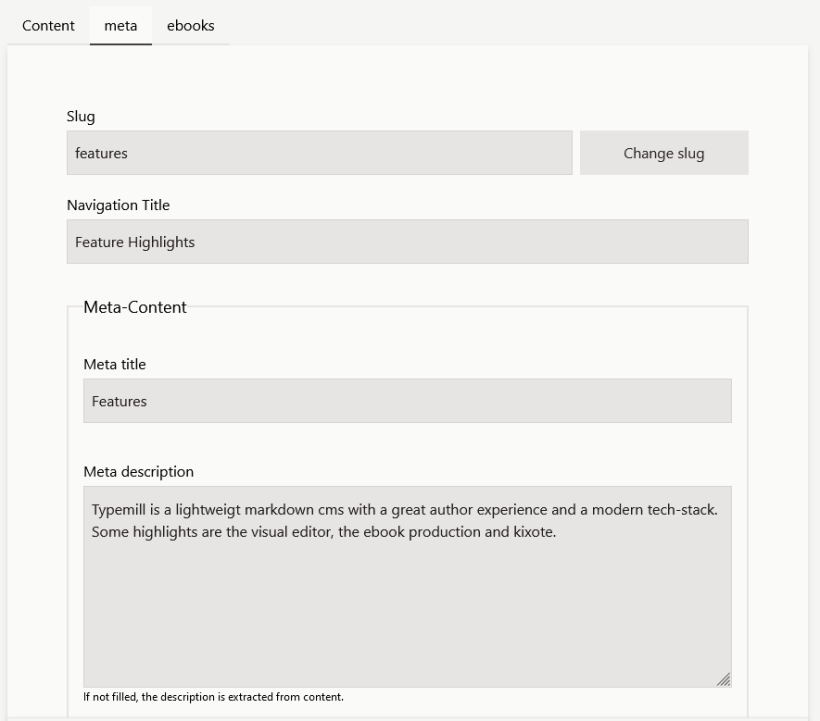
Some highlights:
- Add all relevant meta-information like meta-title, meta-description, navigation-title and more.
- Hide pages from navigation or restrict access to pages.
- Define references like redirects or links.
- Add new tabs, meta-definitions, or complex applications with plugins and themes.
Ebook Production
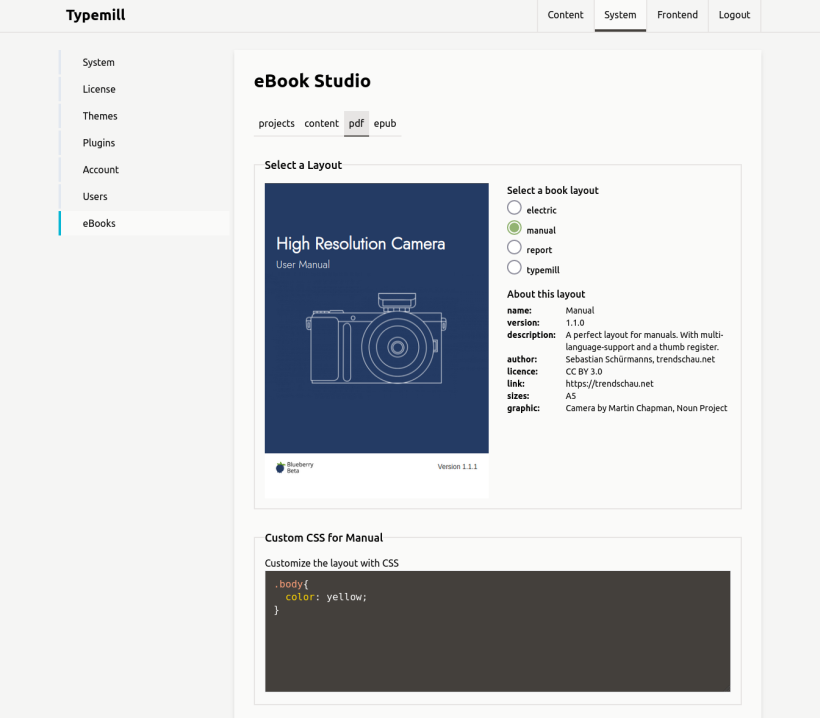
With the free ebook-plugin you can turn your typemill website into an ebook production studio and create professional pdfs and epubs with your content.
Some highlights:
- Create and manage ebooks from the whole website or from each folder.
- Choose between ebook layouts.
- Add and exclude pages for the ebook.
- Create pdfs or epubs.
- Add your own css-rules.
System Settings
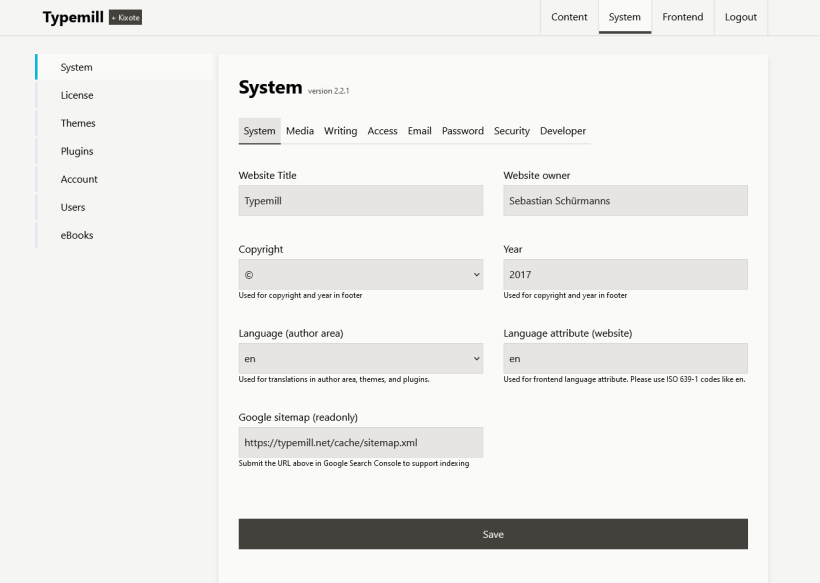
Configure your system with extensive settings and manage accounts and users.
Some highlights:
- Restrict the website to authenticated users or restrict each page individually.
- Activate a password recovery and a login verification.
- Manage headers like CORS and CSP in detail.
- Activate proxy detection, security logs, and much more.
Kixote Interface
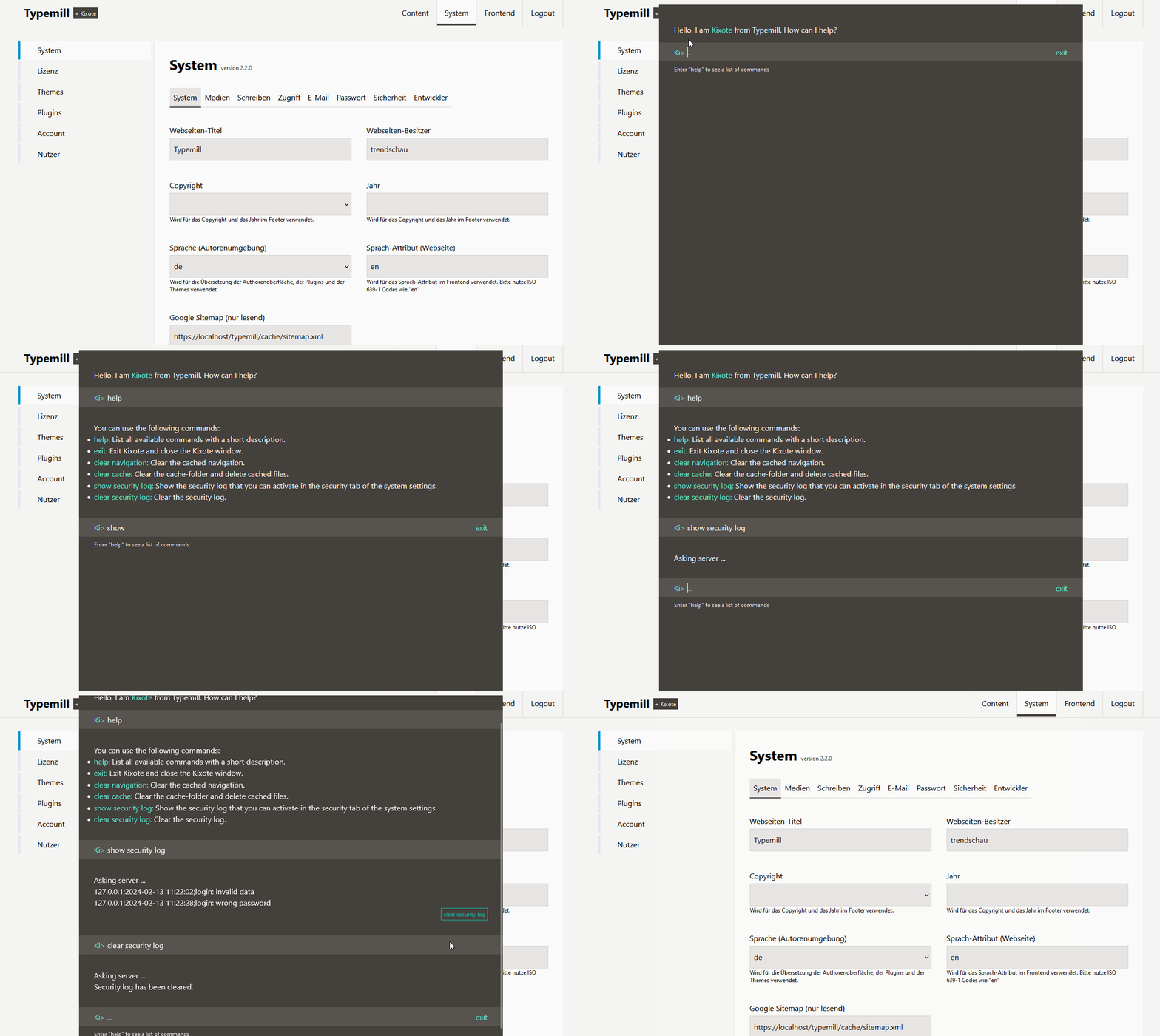
Kixote is an dialog-oriented interface for admin tasks, similar to a console. You can enhance Kixote with KI and prompts with plugins in future.
Some highlights:
- Simple commands to perform admin tasks like clear cache or regenerate the navigation.
- Inline-buttons to execute follow-up-commands.
- Extensible with plugins to add feature or KI tools.
Login Verification Code
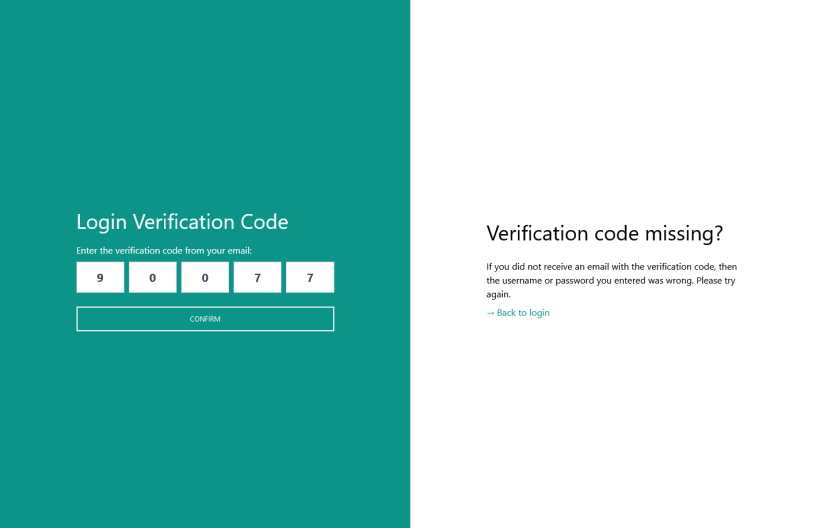
Activate a login verification code for your website and protect your website from account hacking.
Some highlights:
- Always get a notification if someone tries to login with a new device.
- Get a 5-digit verification code to complete your login.
- Specific for each device you use.
- Login is verified for 24 hours.
User Roles and Access Management
Typemill provides predefined user roles like "Administrator," "Editor," "Author," and "Member." You can protect the access of the whole website or individual pages.
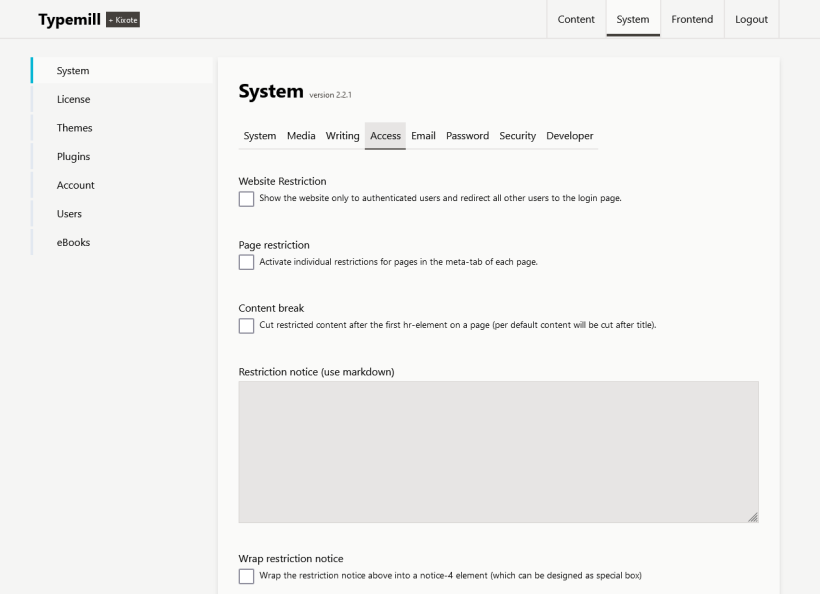
Some highlights:
API-Access and Headless Mode
Typemill follows and internal API-aproach. You can activate API-access for each user and use Typemill with a headless mode as a centralized content hub.
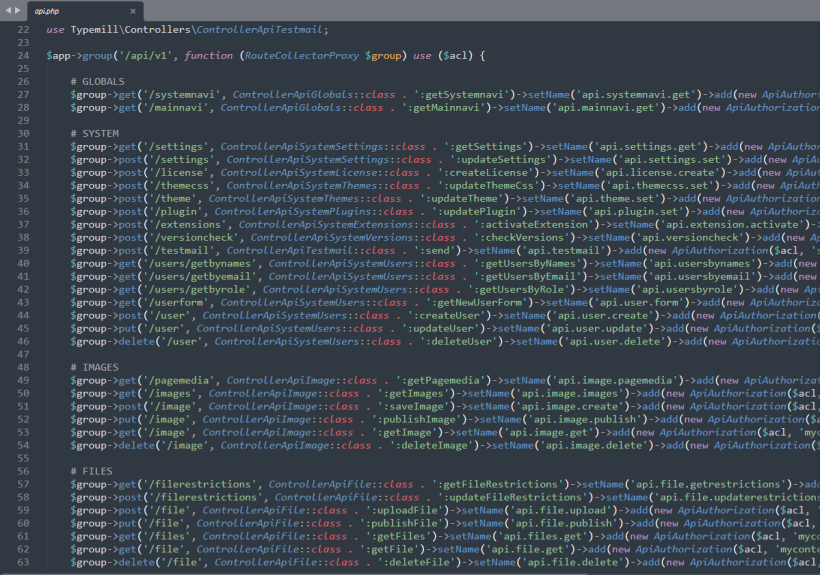
Some highlights:
- Activate api access for each user indivudally.
- Use userroles for the authorization of the api-access.
- Use api endpoints for content delivery, content creation, or administrative tasks.
Flexible Plugins
Enhance your website and your author interface with flexible plugins.
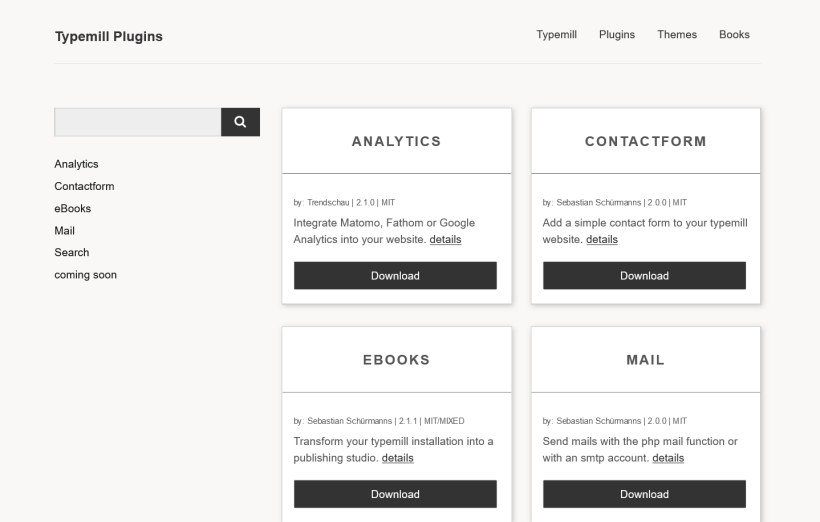
Get an overview of all plugins in the plugin marketplace.
Beautiful Themes
Change the frontend design of your website with flexible themes.
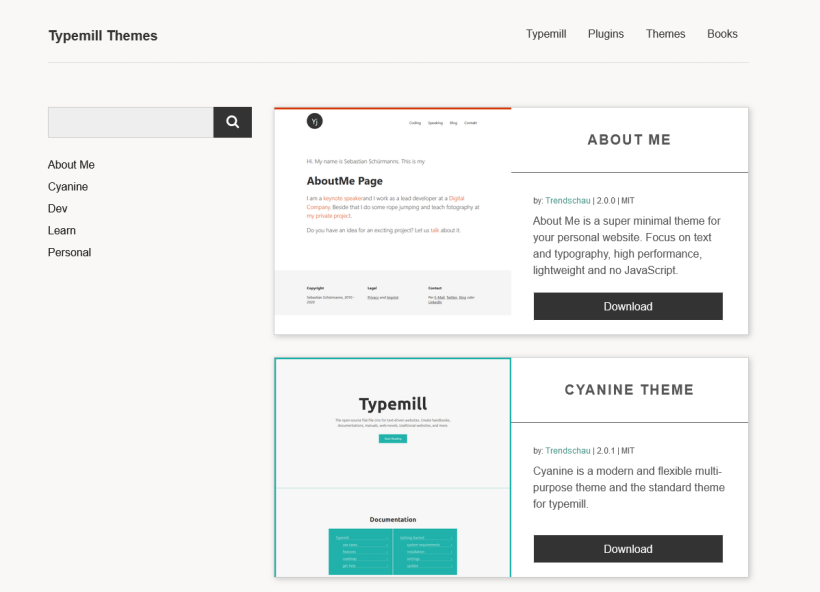
Get an overview of all plugins in the theme marketplace.
Low Size and High Performance
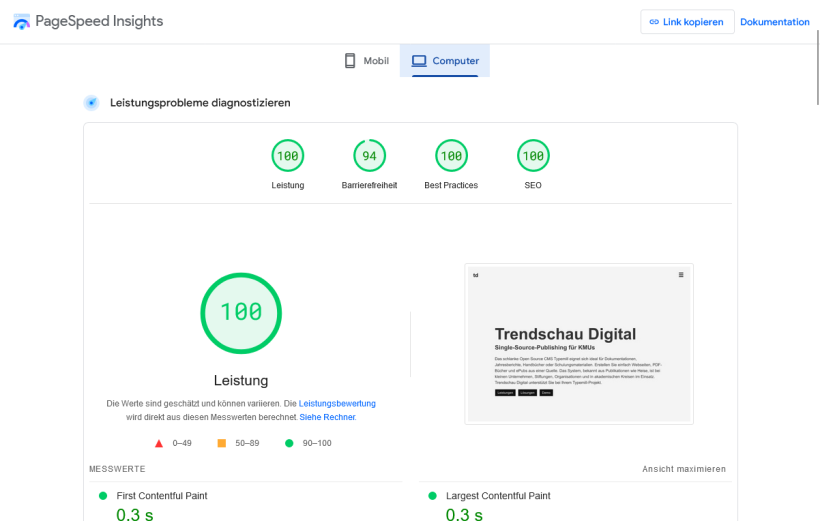
Typemill is lightweight and clean with a compressed size of approximately 2MB. Websites build with Typemill provide a high performance. They usually get full points from google pages speed without any modifications or additional optimizations.
Modern Technology Stack
Typemill is build with a modern technology stack with Vue, Tailwind and Slim PHP. For the sake of simplicity, we do not use any frontend pipelines. Just drop in your files and start to code the easy way.
Some highlights:
- Runs seamlessly with PHP 8 or higher and operates without a database.
- Vue.js 3, Tailwind CSS 2, and Slim PHP 4.
- Flat-file design with markdown files.
- Use YAML to configurate forms, themes, plugins, and more.
- Create themes with HTML, CSS, and Twig.
- Build plugins using PHP and Vue.
- Define forms for nearly everything using YAML.
- Supports an API-based architecture and offers a headless mode for developers.