For Customer Teams

Better User Manuals With Simpler Workflows

One place to write, organize, and publish your user guides. Write in Markdown and publish your manuals as a searchable website, printable PDF, or ePUB – open source and without enterprise complexity.

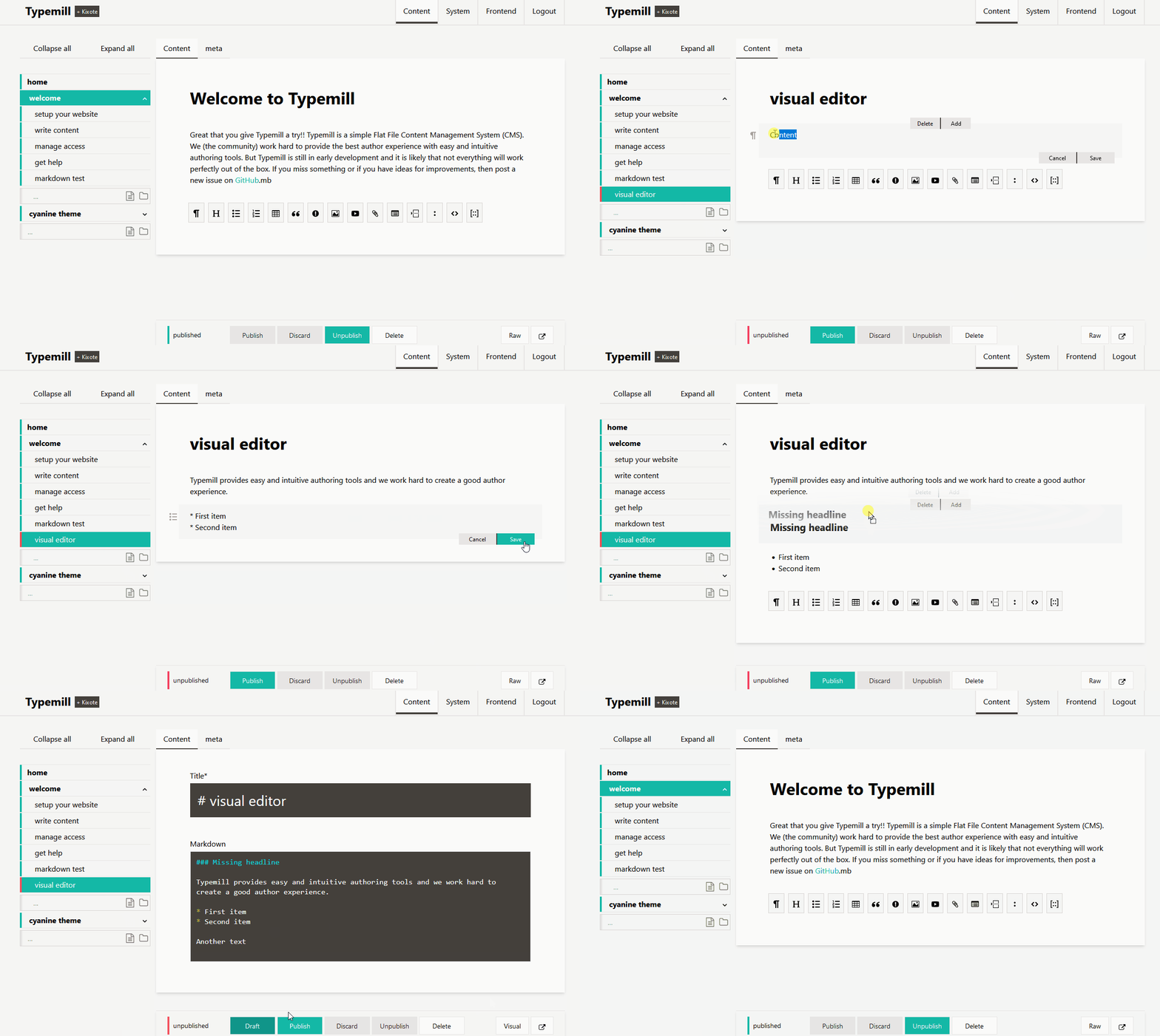
User manual published as website and PDF with Typemill
Feature Highlights

From First Draft to Published Manual

Creating user manuals should not require complex tools. Typemill gives small teams a simple workflow to write, organize, and publish professional user guides. Use flexible themes and plugins to create manuals that match your brand while keeping your content easy to maintain.

Editor
Navigation
Theme
PDF
Search
Permissions
Revisions
Create Content

An Editor Your Team Will Enjoy

If your team needs to write good user manuals, creating content should be as simple and intuitive as possible.

Typemill follows this principle with a visual Markdown editor that offers a distraction-free writing experience for technical and non-technical authors.

Organize Content

Organize Pages with Drag & Drop

If your user guides grow, structure should stay clear and flexible.

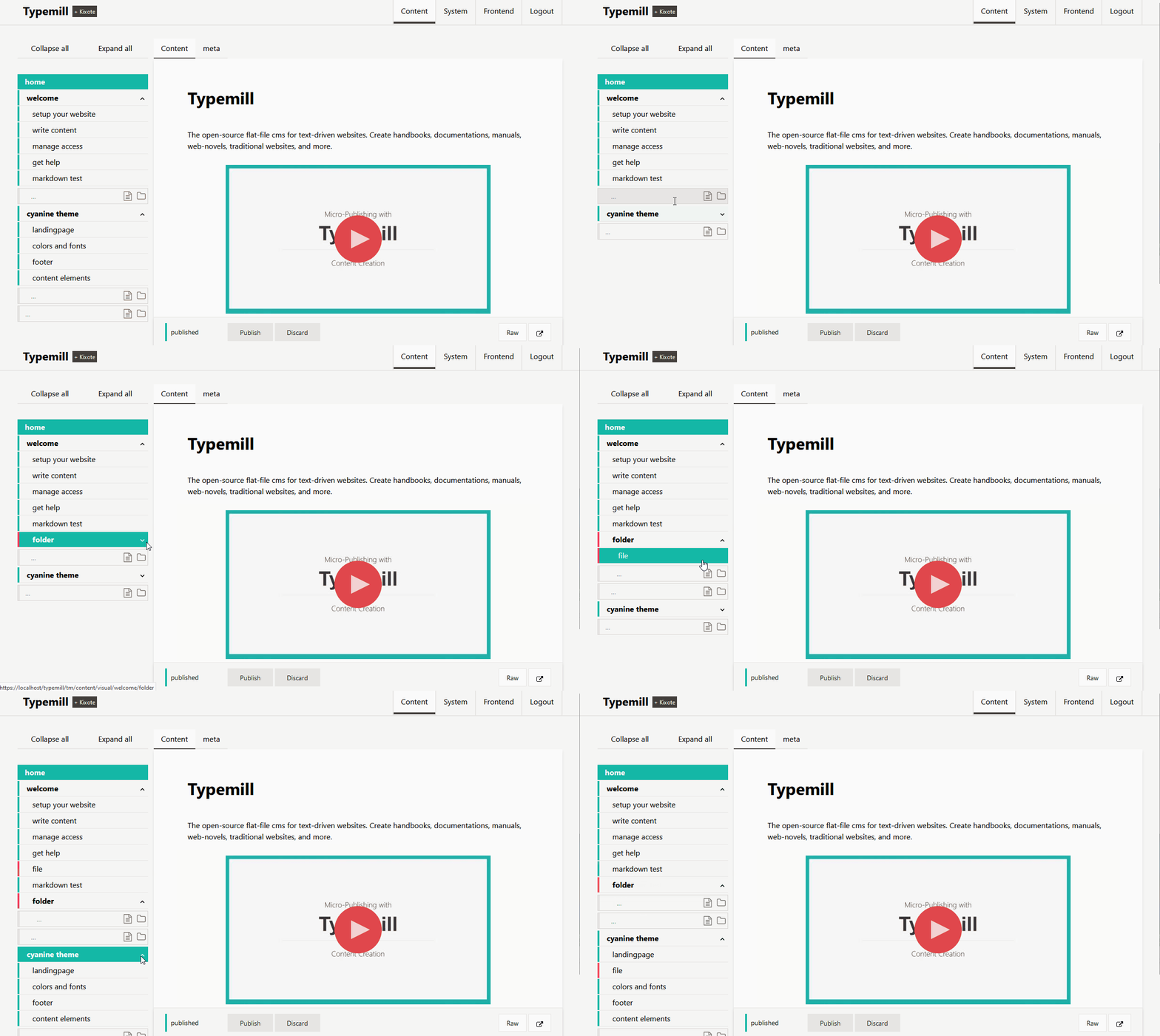
Typemill lets you organize pages and folders through an intuitive drag-and-drop navigation. You can build any hierarchy, nest sections, and reorder pages with ease. Multiple user guides can be managed as separate projects, each with its own navigation structure.

Style Content

A Guide Theme Built for Clarity

If your content is clear, design should support readability without getting in the way.

The Guide Theme provides a responsive layout, dark mode, sidebar navigation, and typography optimized for long-form content. Typemill themes are highly flexible and can be customized to match your brand, including colors, layout options, and visual style.

Guide theme for Typemill documentation
Publish Content

Publish Guides as PDF and EPUB

If your user guide needs to be shared offline, publishing should be as simple as writing the content.

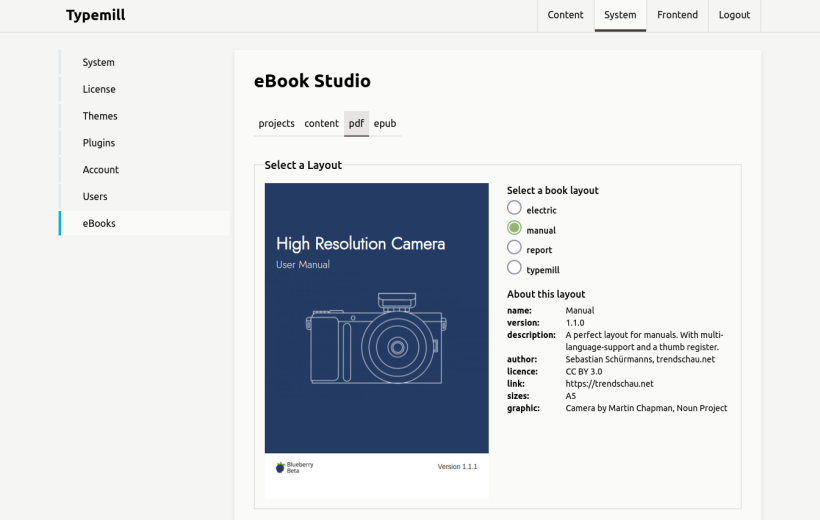
Activate the free eBook Plugin to generate professional PDF and EPUB publications directly from your website. No copy and paste, no layout software, and no separate publishing workflow.

Find Content

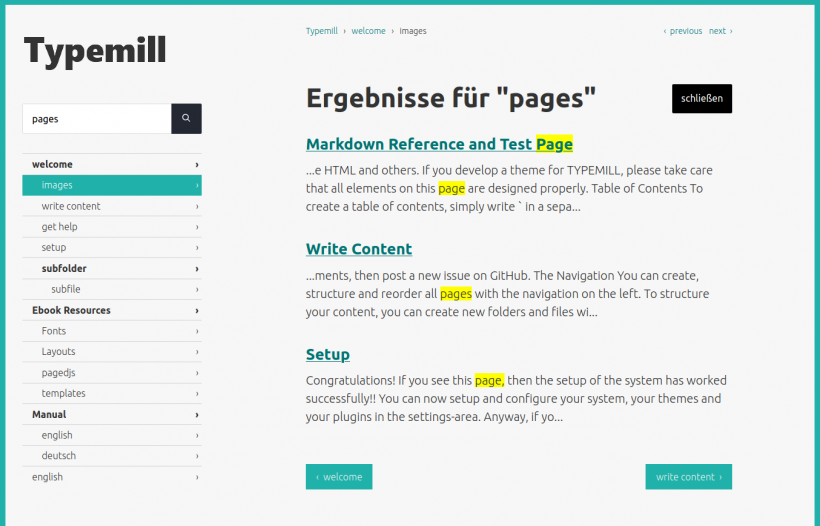
Help users find information quickly with built-in search that runs without any third-party provider.

The Bettersearch Plugin (Maker) adds full-text search with folder-based filters, making it easier to navigate large user guides and manuals.

Protect Content

Give Every User the Right Access

Not every manual is public and not every author should be able to edit all content.

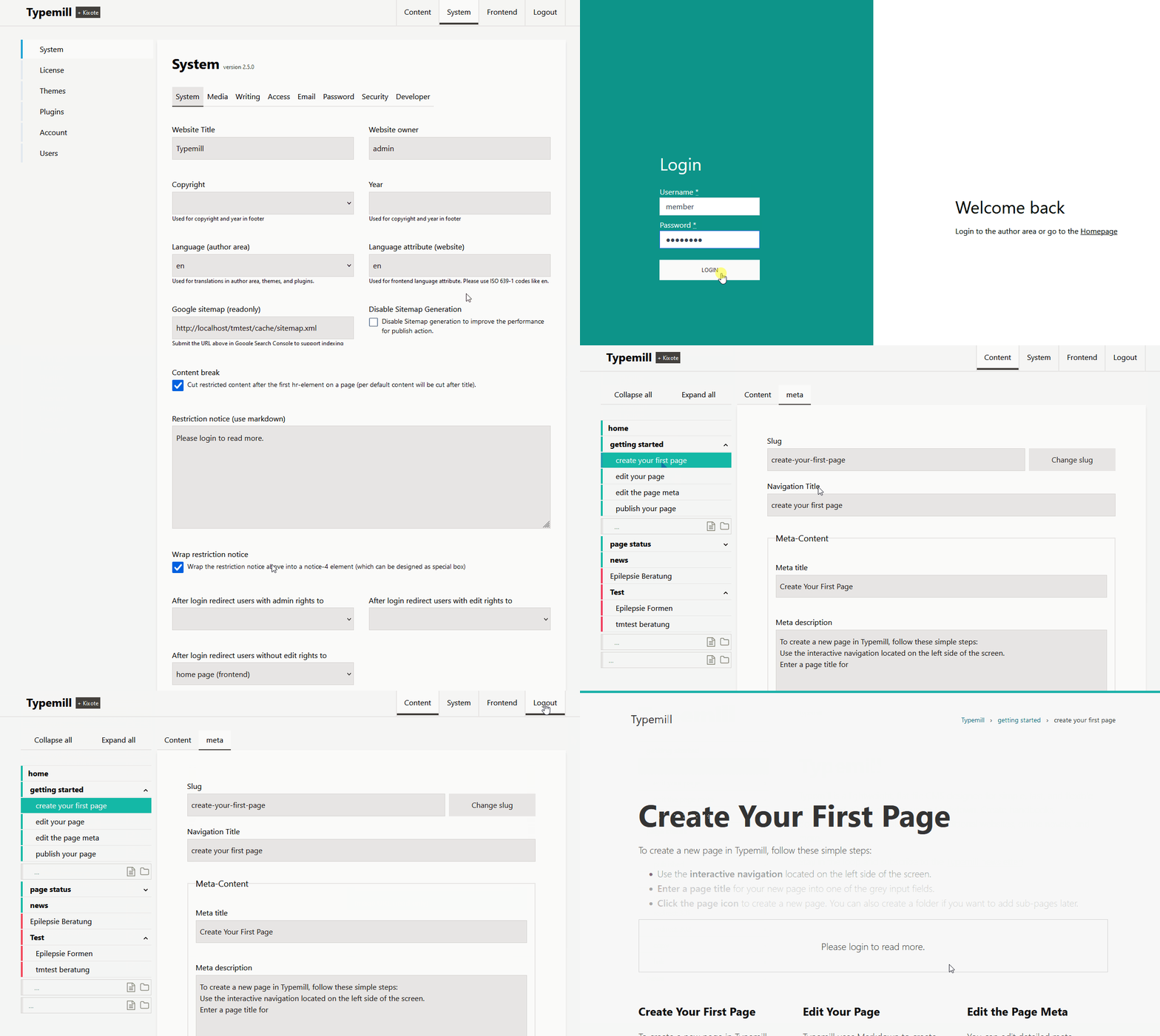
Typemill includes built-in roles and permissions to control who can view, edit, publish, or manage pages. Access can be restricted for entire projects or selected pages without additional extensions.

Restore Content

Keep Track of Your Work

When multiple authors work on user guides, clear version history becomes essential.

The Revisions Plugin (Business) stores a complete page history, allowing you to review changes and restore previous versions with a single click.

Customer Voices

Trusted by Small Teams

Want your team to write better user guides? Keep the process simple. See what customers say about creating manuals with Typemill.

Software Manufacturer

"Typemill allows us to efficiently create and manage our energy software manual without complex technical adjustments."

Wendeware AG · Software & IT Services

Read case study →

Research Organisation

"If you want your team to write documentation, you must make the process as easy and intuitive as possible. Typemill works well in this regard."

Max Planck Institute · Molecular Plant Physiology

Read case study →

Software Manufacturer

"It is vital for us to have effective and straightforward tools for editing and publishing information that do not require extensive internal training."

Lämmerzahl GmbH · Software & IT

Read case study →

FAQ

When Typemill Is the Right Choice

Many teams struggle to choose between familiar tools like Word or Google Docs and enterprise platforms with steep learning curves and high per-seat costs. Typemill provides a lightweight, self-hosted alternative that keeps your manuals under your control while giving your team the structure they need.

Can non-technical users write manuals with Typemill?

Yes. Typemill is designed for teams that need a simple way to create and maintain user manuals. Non-technical users can write content with the visual Markdown editor, while experienced users can work directly with pure Markdown syntax in the raw editor. The optional Kixote AI writing assistant helps teams improve, rewrite, summarize, and translate content, making user manuals easier to create and maintain. This allows technical writers, product managers, support teams, and other contributors to focus on creating helpful content instead of learning complex software.

Can I manage multiple manuals or products?

Yes. Typemill makes it easy to create and manage user manuals for multiple products or customer groups. With Typemill projects, each manual can have its own space with its own content structure, navigation, permissions, and contributors. This helps teams keep documentation organized and maintain separate manuals as their product portfolio grows.

Can I customize the design of my user guides?

Yes. Typemill includes flexible themes and plugins that allow you to customize the appearance and functionality of your user manuals. You can adapt layouts, branding, navigation, and additional features to match your company and product requirements. PDF publications can also be customized with dedicated layouts, and advanced users can create their own themes and ebook templates from scratch.

Why use Typemill instead of Word or Google Docs for user manuals?

Word and Google Docs are useful for creating individual documents, but they become difficult to manage when user manuals grow. Content can become scattered across multiple files, design options are limited, and publishing a public user guide as a website requires additional tools. Typemill provides a structured environment with navigation, search, version control, and publishing tools built specifically for user manuals and documentation. Manage your user guides in one place and publish it as a searchable website, printable PDF, or ePUB.

Why choose Typemill instead of a SaaS documentation platform?

Typemill gives you full control over your manuals. As a self-hosted solution, your manuals stay on your own server and your content remains stored as portable Markdown files. This helps you avoid vendor lock-in, recurring per-user costs, and dependency on external platforms.

Can Typemill replace Notion or a Wiki for user manuals?

For many teams, yes. Notion and traditional wikis are excellent collaboration tools, but they are not primarily designed for publishing professional user manuals. Typemill combines easy content management with structured navigation, powerful publishing options, and a documentation-focused workflow. This makes it easier to create searchable online manuals and professional PDF documentation from the same content source.

What are the benefits of publishing user manuals as PDFs?

PDF manuals remain an important format for customers who need offline access, printable user guides, compliance records, or downloadable product guides. With Typemill, you can generate professional PDFs directly from your manuals, ensuring that your online manual and PDF version stay consistent and up to date. This reduces duplication and simplifies documentation maintenance.

Installed in 5 minutes, understood in 5 minutes

Typemill runs on any standard PHP web space – no database, no complex setup. Try the live demo before you install.

01 Download as ZIP, GitHub or Docker
02 Upload to your own server
03 Set up the admin account
04 Write your first page in Markdown